
If you signed up to our service using your iPhone or other iOS product, the steps below will help you to cancel your subscription:
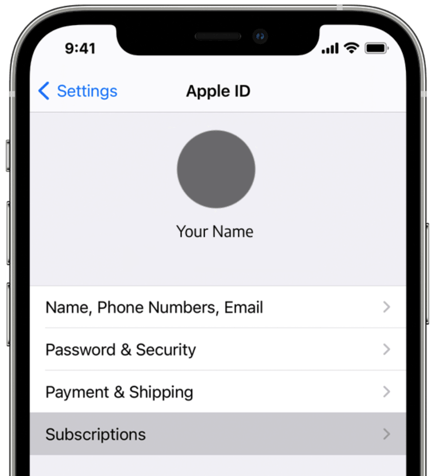
- Open the Settings’’ App
- Select your name
- Select ‘Subscriptions’
- Select the subscription you would like to manage
- Tap ‘Cancel Subscription’ (if you do not see ‘Cancel Subscription’ it means that this has already been cancelled)
A few things that are good to know:
- Your subscription will automatically renew unless you cancel it.
- If you make the decision to cancel your subscription, you can keep using your subscription until the next billing date.
- If you cancelled during a free trial period, you may lose access to the subscription immediately.
- It is always best to cancel at least 24 hours before your next billable period.