
If you signed up to our service using your Android device or other Google product, the steps below will help you to cancel your subscription:
- Open the Google Play app.
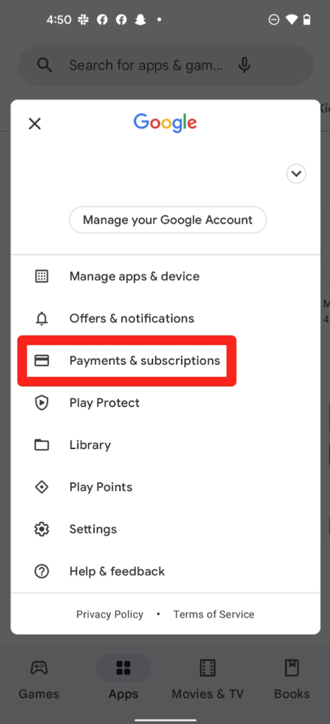
- Select your profile icon in the top right corner.
- Select ‘Payments and Subscriptions’.
- Select ‘Subscriptions’.
- Select the subscription you would like to cancel.
- Select ‘Cancel Subscription’.
- Follow the remaining on-screen instructions.
A few things that are good to know:
- If you make the decision to cancel your subscription, you can keep using your subscription until the next billing date.
- If you cancelled during a free trial period, you may lose access to the subscription immediately.
- It is always best to cancel at least 24 hours before your next billable period.